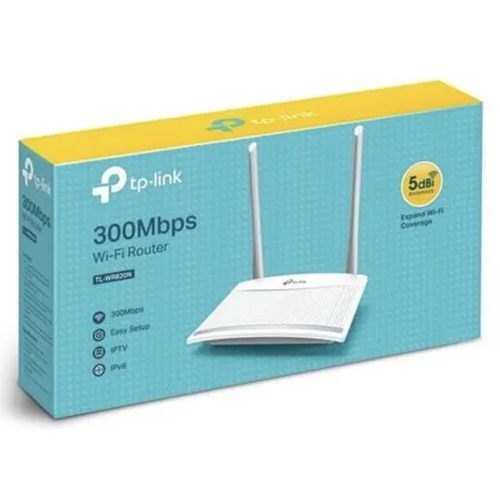
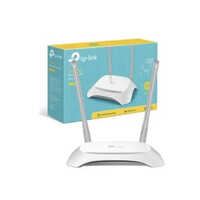
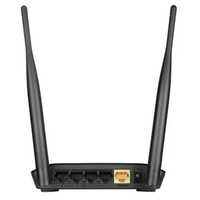
Tp Link WiFi Network Wireless Router Price & Specifications
Weight Approximately 230g
Usage & Applications Home and Small Office Internet Distribution
Remote Control Yes
Power Supply Electricity
Power Consumption Approximately 3.5W
Port 3-4
Operating Temperature 0A C ~ 40A C
Number Of Ports/Pins 4 LAN Ports, 1 WAN Port
Network Device Router
Interface Type LAN/WAN
IP Routing Supported
Frequency 2.4 GHz
Features Wireless N Speed, Easy Setup, Parental Controls, Guest Network
Dimension (L*W*H) 190 x 116 x 28 mm
Device Type Wireless Router
Connectivity Type Other
Cable Length Up to 100 meters (Ethernet)
Antenna 2 Fixed Antennas
Supply Ability 5000 Per Month
Payment Terms Cash on Delivery (COD)
Main Domestic Market All India
Delivery Time 10 Days
About Tp Link WiFi Network Wireless Router Detail
Unlock unassailable connectivity with the commanding TP-Link Network Router, famed for its robust wireless standard IEEE 802.11b/g/n and instant speeds up to 300Mbps. Enjoy instant savings with seamless streaming and secure browsing, featuring top-tier WEP, WPA/WPA2 protocols. Limited stock available-experience unwavering stability with advanced firmware support, dual fixed antennas, and web-based management. Designed for versatility, the desktop mount ensures accessibility for homes or small offices. With four LAN ports and easy setup, this router is your gateway to streamlined connectivity. Don't miss out on this rare opportunity!
Versatile Application for Home and Business
The TP-Link Network Router excels as a central hub for internet distribution in homes and small offices. Its powerful wireless N speed and steadfast performance make it ideal for handling daily activities, from streaming to file sharing. Designed for desktop mounting, its use type covers both personal and professional networks. With features like parental controls and guest network support, this router guarantees secure, flexible connectivity across diverse applications and settings.
Certifications, Packaging, and Market Reach
This TP-Link router meets rigorous safety and quality certifications, ensuring reliability for both domestic and export markets. Packaged carefully for protection and easy installation, estimated dispatching is swift to support urgent needs. The main domestic market is India, where the product commands trust from suppliers, traders, and wholesalers. Whether shipping locally or for export, each unit is quality-checked, providing peace of mind and efficient installation for your business or home network infrastructure.
FAQ's of Tp Link Network Router:
Q: How do I set up my TP-Link Network Router for home use?
A: You can set up the router easily through its web-based management interface. Connect the router to your modem, power it on, and follow the online setup guide using your web browser.
Q: What benefits does the TP-Link Router offer for small office applications?
A: This router provides a commanding wireless speed up to 300Mbps, robust security protocols, and allows multiple device connections, making it ideal for sharing internet securely in small office environments.
Q: Where can I find information about firmware upgrades for this router?
A: Firmware updates and support details can be accessed directly from the TP-Link website or through the router's web management dashboard, ensuring your device remains secure and up to date.
Q: What is the process for mounting and installing the router?
A: The router offers desktop mounting for stable placement. Simply connect your cables to the appropriate LAN/WAN ports, power on the device, and complete the setup through the web interface.
Q: When is the best time to purchase amid limited stock availability?
A: It's advisable to act swiftly and purchase as soon as possible since stock is limited, ensuring you unlock instant savings and secure uninterrupted connectivity for your network.

 GST No.27AVHPC3326R1Z9


 Our Products